One Zidy. From the first visit to the next.

ZIDY AUTOMATIONS

Less chasing.
More moving forward.

Connect voice AI, customer conversations and the work happening in your shop. Explore everyday Zidy automations and all 22 Lightspeed message actions.

WHEN THIS HAPPENS, ZIDY HELPS

Small steps. A smoother day.

Explore examples of the workflows you can connect with Zidy. Your triggers, timing and available actions depend on the tools in your setup.

10 automation examples

Missed-call text & AI response

WHEN
A business call goes unanswered
THEN
Send a text and let AI continue the conversation

Keep a missed call from becoming the end of the conversation.

See how it works

Your after-hours message

WHEN
A message arrives when you’re closed
THEN
Send your written automatic reply

Set expectations and let customers know their message matters.

See how it works

An AI conversation after closing

WHEN
A customer has an after-hours question
THEN
AI answers and gathers the details

Open with context and warm opportunities ready for the team.

See how it works

Booking communications

WHEN
A customer makes a booking
THEN
Keep confirmation and customer details connected

Make the next step clear for the customer and your team.

See how it works

Automatic booking payments

WHEN
The booking reaches its configured payment step
THEN
Process payment through the booking flow

Connect the booking and payment, as used by Bicycles San Clemente.

See how it works

Automatic review requests

WHEN
The customer reaches the post-visit follow-up
THEN
Send an invitation to share their experience

Keep the relationship going after the visit.

See how it works

AI for voice calls

WHEN
A customer calls the business
THEN
Let voice AI help with the conversation

Keep help available when the team is busy.

See how it works

AI after a voicemail

WHEN
A customer leaves a voicemail
THEN
Let AI respond and continue the inquiry

Give the customer a next step after the call.

See how it works

AI for a new inquiry

WHEN
A first-time SMS, webchat or social DM arrives
THEN
Start an AI conversation on the channels you choose

Welcome new questions across SMS, webchat, Facebook and Instagram.

See how it works

A question needs the team

WHEN
AI is missing information or a customer needs service
THEN
Use a team assignment and conversation folder

Choose the handoff so the right person can help.

See how it works

EVERY SUPPORTED LIGHTSPEED ACTION

The right message.
At the right moment.

Choose your Lightspeed edition and explore the customer messages Zidy can send when a sale, work order or fulfillment status changes.

22 actions · 9 R-Series + 13 X-Series

R-Series

Send a message when a work order is Waiting

LIGHTSPEED EVENTWork order · Waiting
See an example message
Hi Sam, your work order is now marked Waiting. Reply here if you have a question for our service team.
Illustrative message.
R-Series

Notify customers when an order is shipped

LIGHTSPEED EVENTOrder · Shipped
See an example message
Hi Sam, your order has shipped. Thanks for shopping with us! Reply here if you need help.
Illustrative message.
R-Series

Follow up with a customer when a sale is completed

LIGHTSPEED EVENTSale · Completed
See an example message
Thanks for visiting, Sam. How is everything working out? Let us know if you need anything.
Illustrative message.
R-Series

Request a review when a sale is completed

LIGHTSPEED EVENTSale · Completed
See an example message
Thanks for choosing our shop, Sam. Would you share your experience? Here’s your review link.
Illustrative message.
R-Series

Send a message when a work order is Estimated

LIGHTSPEED EVENTWork order · Estimated
See an example message
Hi Sam, your tune-up and replacement cable estimate is $145. Reply APPROVE to go ahead, or message us with a question.
Illustrative message.
R-Series

Send a message when a work order has a Custom status

LIGHTSPEED EVENTWork order · Custom status
See an example message
Hi Sam, your repair is waiting for a part. We’ll update you when the next step is ready.
Illustrative message · “Waiting for parts” is an example custom status.
R-Series

Send a message when a work order is Paid

LIGHTSPEED EVENTWork order · Paid
See an example message
Hi Sam, your service payment has been recorded. Thank you!
Illustrative message.
R-Series

Send a message when a work order is Finished

LIGHTSPEED EVENTWork order · Finished
See an example message
Hi Sam, the work on your bike is finished. Message us to arrange your pickup.
Illustrative message.
R-Series

Send a message when a work order is Open

LIGHTSPEED EVENTWork order · Open
See an example message
Hi Sam, we’ve opened your work order. You can reach our service team right here.
Illustrative message.
X-Series

Send a message when a sale is parked (saved for later)

LIGHTSPEED EVENTSale · Parked
See an example message
Hi Alex, we’ve saved the sale you discussed with our team. Reply here when you’re ready to continue.
Illustrative message.
X-Series

Send a message when a sale is completed

LIGHTSPEED EVENTSale · Completed
See an example message
Thanks for your purchase, Alex! If you have questions about your order, our team is right here.
Illustrative message.
X-Series

Send a message when a sale is voided

LIGHTSPEED EVENTSale · Voided
See an example message
Hi Alex, this sale has been voided. Please reply if you’d like to discuss the next step with our team.
Illustrative message.
X-Series

Send a message when a layby is started

LIGHTSPEED EVENTLayby · Started
See an example message
Hi Alex, your layby purchase has been started. Reply here with any questions about the remaining payments.
Illustrative message.
X-Series

Send a message when a layby is paid off

LIGHTSPEED EVENTLayby · Paid off
See an example message
Hi Alex, your layby purchase is now paid off. Our team can help you with the next step.
Illustrative message.
X-Series

Send a message when a sale is charged to a customer's account

LIGHTSPEED EVENTSale · Charged to customer account
See an example message
Hi Alex, your purchase has been added to your customer account. Reply here with any questions.
Illustrative message.
X-Series

Send a message when an on-account sale is paid off

LIGHTSPEED EVENTOn-account sale · Paid off
See an example message
Hi Alex, the balance for your on-account purchase has been paid off. Thank you!
Illustrative message.
X-Series

Send a message when an order is awaiting dispatch

LIGHTSPEED EVENTOrder · Awaiting dispatch
See an example message
Hi Alex, your order is awaiting dispatch. We’ll let you know when it has been dispatched.
Illustrative message.
X-Series

Send a message when an order has been dispatched

LIGHTSPEED EVENTOrder · Dispatched
See an example message
Hi Alex, your order has been dispatched. Reply here if there’s anything we can help with.
Illustrative message.
X-Series

Send a message when an order is ready for pickup

LIGHTSPEED EVENTOrder · Ready for pickup
See an example message
Hi Alex, your order is ready for pickup. Let us know if you have a question before you come in.
Illustrative message.
X-Series

Send a message when an order has been picked up

LIGHTSPEED EVENTOrder · Picked up
See an example message
Thanks for picking up your order, Alex. Enjoy the ride! We’re here if you need a hand.
Illustrative message.
X-Series

Send a message when a service order is opened

LIGHTSPEED EVENTService order · Opened
See an example message
Hi Alex, your service order is open. You can message our team here with any questions.
Illustrative message.
X-Series

Send a message when a service order is completed

LIGHTSPEED EVENTService order · Completed
See an example message
Hi Alex, your service order is complete. Get in touch here to arrange the next step.
Illustrative message.
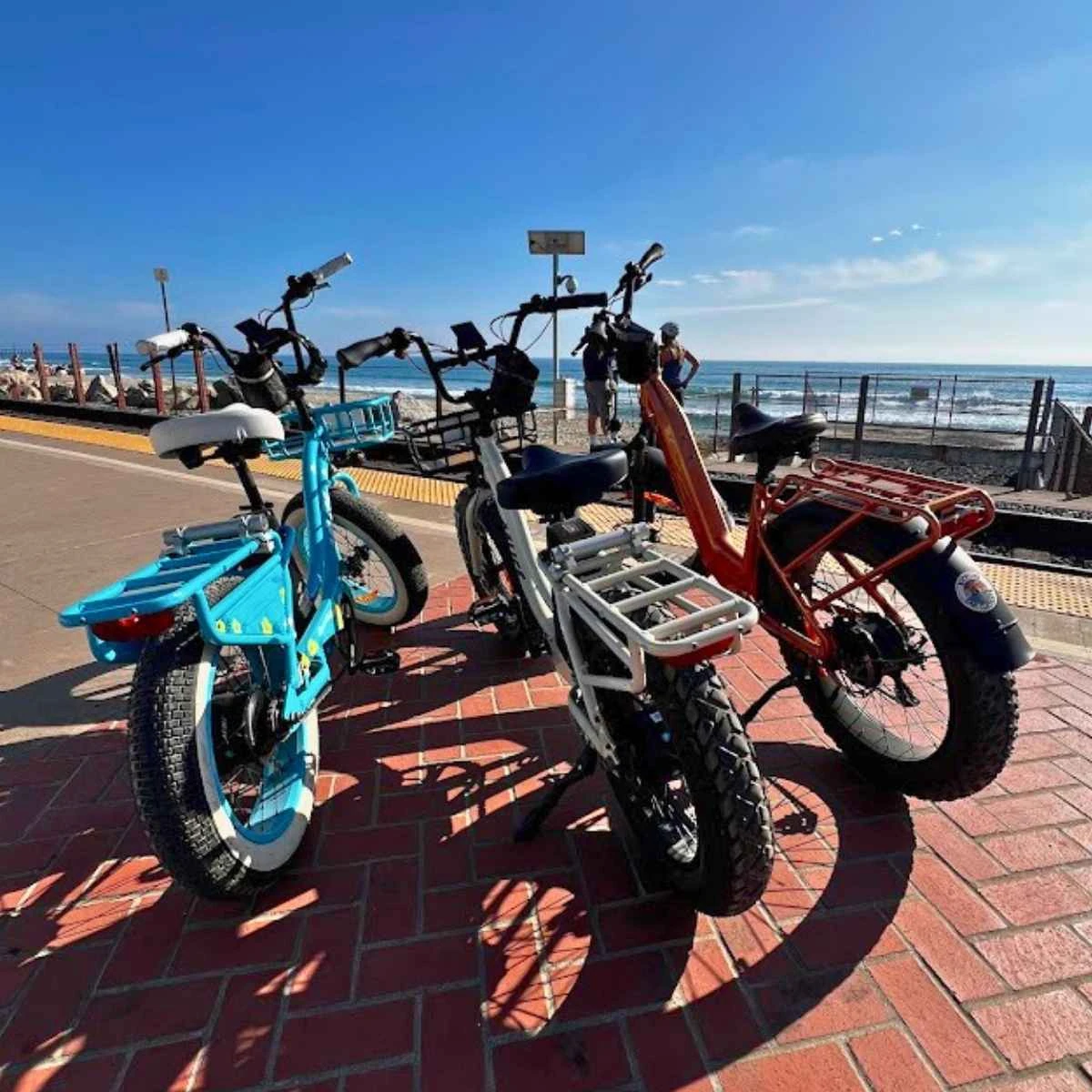
Bicycles San Clemente rental e-bikes beside the Pacific Ocean.
Photo via Enjoy Orange County

BICYCLES SAN CLEMENTE

Book the ride.
Connect the rest.

Bicycles San Clemente uses Zidy bookings together with automatic payments and automatic review requests.

  1. 01

    The booking starts the journey

    Manage the reservation and customer details in Zidy.

  2. 02

    Automatic payments keep it connected

    The booking and payment flow work together.

  3. 03

    The visit leads to a review request

    Automatic review requests keep the customer follow-up going.

Meet Bicycles San Clemente

YOUR AI EMPLOYEE, YOUR RULES

Choose the first reply.
Shape the next handoff.

Use voice AI and choose when AI begins responding across your customer channels. Give it business context and put the right person in reach.

WHERE AI CAN HELP

AI for voice callsAvailable
First-time SMS & webchatAvailable
Facebook Messenger & InstagramAvailable
After a missed callAvailable
After a voicemailAvailable

BUSINESS CONTEXT & TEAM CONTROL

Teach it your business.

Use FAQs, files, training, webpages and examples to give AI information it can work with.

Choose the locations.

Select where AI starts responding, including conversations without an assigned location.

Set the handoff.

When information is missing or a customer is interested in a service, assign a team member and move the conversation to the right folder.

A FEW THINGS TO KNOW

Good questions. Clear answers.

Which Lightspeed editions are supported?+

Explore 9 R-Series and 13 X-Series customer-message actions in the catalog above. Each edition has its own work-order, sale and fulfillment events.

Can I choose a written reply instead of AI?+

Yes. After hours, use a message you write or let AI answer questions and gather information. Choose the approach that fits your business.

How do I connect booking payments and review requests?+

We’ll map the workflow to your booking and payment setup. Bicycles San Clemente already uses Zidy bookings together with automatic payments and automatic review requests.

Where do customer replies go?+

Customer messages come into Zidy Inbox, where the team can review the history and continue the conversation.

YOUR BUSINESS. YOUR NEXT CHAPTER.

What could your team stop chasing?

Bring your customer conversations and everyday work together. Find the Zidy setup that fits your business.

Book a demo